Lesson Objective
Master the essential concepts and practical implementation of email marketing automation to enhance your digital marketing strategy and achieve measurable business results.
What You Will Learn
- Core principles and concepts of email marketing automation
- Step-by-step implementation strategies
- Best practices and industry standards
- Common challenges and how to overcome them
- Measurement and optimization techniques
- Real-world applications and case studies
Required Knowledge or Tools
To get the most from this lesson, you should have:
- Understanding of digital marketing fundamentals
- Access to relevant marketing tools and platforms
- Basic analytical and strategic thinking skills
- Willingness to experiment and test new approaches
Core Concept Explanation
What is Email Marketing Automation?
Email marketing automation is the use of software to send targeted, personalized emails to subscribers based on specific triggers, behaviors, or time intervals. Instead of manually sending individual emails, automation allows you to create sophisticated workflows that nurture leads and customers automatically.
Types of Email Automation
Behavioral Triggers
- Welcome Series: Triggered when someone subscribes to your list
- Abandoned Cart: Sent when customers leave items in their shopping cart
- Browse Abandonment: Triggered when visitors view products but don't purchase
- Post-Purchase: Sent after a customer completes a purchase
Time-Based Automation
- Drip Campaigns: Pre-scheduled emails sent at specific intervals
- Birthday/Anniversary: Sent on special dates important to customers
- Renewal Reminders: Sent before subscriptions or services expire
- Seasonal Campaigns: Triggered by holidays or seasonal events
Essential Automation Workflows
Lead Nurturing Sequence
A series of educational emails that build trust and guide prospects toward a purchase decision. Typically 5-7 emails over 2-3 weeks.
Customer Onboarding
Helps new customers get maximum value from your product or service. Includes setup instructions, tips, and success stories.
Re-engagement Campaign
Targets inactive subscribers to win them back or clean your list. Usually 2-3 emails with compelling offers or content.
Upsell/Cross-sell Sequences
Promotes additional products or services to existing customers based on their purchase history and behavior.

Email automation workflows combine triggers, conditions, and actions to deliver personalized experiences at scale
Why This Lesson Matters
Understanding email marketing automation is crucial for digital marketing success because it enables you to:
- Improve overall marketing effectiveness and ROI
- Better serve your target audience's needs
- Stay competitive in the digital marketplace
- Make data-driven marketing decisions
- Scale your marketing efforts efficiently
Step-by-Step Tutorial
Phase 1: Email Automation Platform Setup and Strategy
- Choose Email Automation Platform: Select platform like Mailchimp, ConvertKit, ActiveCampaign, or HubSpot based on your needs, budget, and integration requirements. Set up account and configure basic settings.
- Set Up Tracking and Analytics: Install tracking pixels, configure Google Analytics integration, and set up conversion tracking to measure email campaign effectiveness and ROI.
- Create Subscriber Segments: Develop detailed audience segments based on demographics, behavior, purchase history, and engagement levels. Use these segments to create targeted automation workflows.
- Design Email Templates: Create branded email templates that are mobile-responsive and visually appealing. Include consistent branding, clear call-to-action buttons, and optimized layouts for different email types.
Phase 2: Welcome Series and Lead Nurturing Automation
- Create Welcome Email Sequence: Design 5-7 email welcome series that introduces new subscribers to your brand, sets expectations, and provides immediate value. Include brand story, best content, and clear next steps.
- Set Up Lead Magnet Delivery: Automate delivery of promised lead magnets (ebooks, guides, templates) immediately after subscription. Include additional related resources to maximize value and engagement.
- Build Educational Nurture Sequences: Create automated email series that educate subscribers about your industry, products, or services. Focus on providing value before making sales pitches.
- Implement Behavioral Triggers: Set up automation based on subscriber actions like website visits, email opens, link clicks, or content downloads. Trigger relevant follow-up emails based on demonstrated interest.
Phase 3: Advanced Automation Workflows
- Create Abandoned Cart Recovery: Set up automated email sequence for e-commerce customers who add items to cart but don't complete purchase. Include product images, urgency elements, and incentives.
- Build Re-engagement Campaigns: Design win-back sequences for inactive subscribers. Create compelling subject lines, special offers, and clear value propositions to reactivate dormant subscribers.
- Set Up Post-Purchase Automation: Create automated sequences for new customers including order confirmations, shipping updates, product education, and upsell opportunities.
- Implement Lead Scoring: Assign points to subscriber actions (email opens, clicks, website visits) and trigger different automation paths based on engagement scores and qualification levels.
Phase 4: Optimization and Performance Monitoring
- A/B Testing Email Elements: Test subject lines, send times, email content, and call-to-action buttons to optimize open rates, click-through rates, and conversions. Document winning variations.
- Monitor Key Metrics: Track open rates, click-through rates, conversion rates, unsubscribe rates, and revenue per email. Set up automated reports to monitor performance trends.
- Optimize Send Times and Frequency: Analyze subscriber engagement patterns to determine optimal send times and email frequency. Adjust automation timing based on audience behavior data.
- Refine and Scale Workflows: Continuously improve automation workflows based on performance data. Scale successful sequences to additional segments and create new automations for different customer journey stages.
Visual Explanation
Visual learning aids help clarify complex concepts and demonstrate practical applications of email marketing automation strategies.
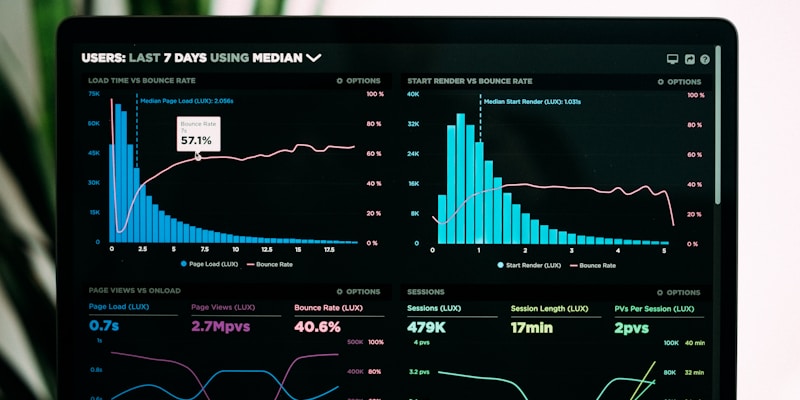
Clear visual explanations make complex email marketing automation concepts easier to understand and implement
Common Mistakes and Misunderstandings
Learn from common pitfalls and misconceptions that can hinder your email marketing automation success:
- Avoiding strategic planning and jumping straight to tactics
- Not measuring and analyzing performance regularly
- Ignoring audience feedback and preferences
- Expecting immediate results without allowing time for optimization
- Not staying updated with industry changes and best practices
Practical Example or Scenario
Here's how an online course creator uses email automation to convert leads into customers:
Welcome Series (5-Email Sequence)
Email 1: Immediate Welcome (Sent immediately)
Subject: "Welcome! Here's your free productivity guide"
Content: Thank you message, deliver promised lead magnet, set expectations for future emails
CTA: Download the guide and follow on social media
Email 2: Personal Story (Day 2)
Subject: "How I went from overwhelmed to organized (my story)"
Content: Personal backstory, struggles with productivity, transformation journey
CTA: Reply and share your biggest productivity challenge
Email 3: Social Proof (Day 4)
Subject: "Sarah increased her productivity by 300% - here's how"
Content: Detailed case study, before/after results, specific strategies used
CTA: Watch free training video
Email 4: Value-First Teaching (Day 7)
Subject: "The 15-minute rule that changed everything"
Content: Actionable productivity technique, step-by-step implementation guide
CTA: Try the technique and report back
Email 5: Soft Pitch (Day 10)
Subject: "Ready to take your productivity to the next level?"
Content: Introduce paid course, explain how it builds on free content, limited-time bonus
CTA: Enroll in the complete productivity course
Results After 6 Months:
- Open Rate: 45% average across the sequence
- Click Rate: 12% average with Email 4 performing best at 18%
- Conversion Rate: 8% of subscribers purchase the course
- Revenue Impact: $47,000 in course sales from 2,500 new subscribers
Advanced Automation: Behavioral Branching
Subscribers who click on the free training video in Email 3 receive a different Email 4 with more advanced content, while non-clickers get basic tips. This personalization increased overall conversion rates by 23%.
Lesson Summary
This comprehensive lesson on email marketing automation provides you with the knowledge, tools, and strategies needed to implement effective campaigns that drive real business results.
By mastering these concepts and applying them consistently, you'll be well-equipped to enhance your digital marketing effectiveness and achieve your business objectives.
Key Takeaway
Success in email marketing automation comes from understanding your audience, implementing proven strategies, and continuously optimizing based on performance data.